Team-powered recruiting
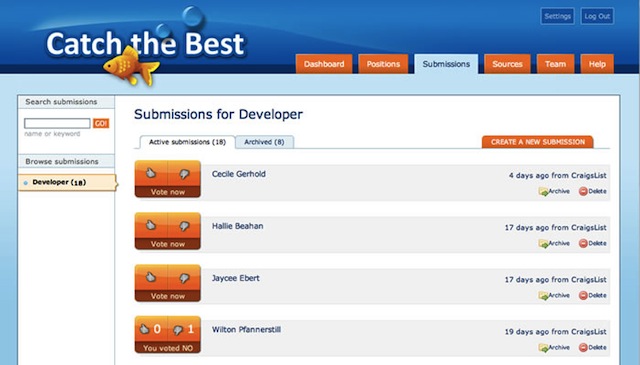
Applicant List
Seeing how the members of your team are ranking the applicants as they come in is definitely better than having all those resumes in your inbox. Ready to vote a particular candidate up or down? Just click thumb-up or thumb-down and record your opinion.
Applicant Detail
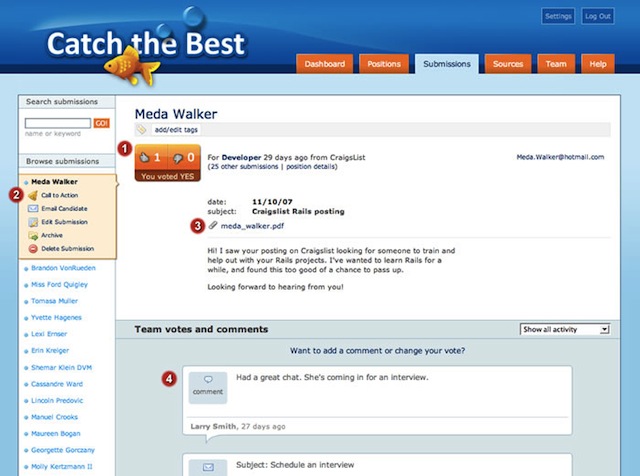
Viewing a candidate’s detail page gives you easy access to the candidate’s cover letter, resume, and contact information.

- Quickly cast or change your vote.
- Send the word out to your team mates to check out this applicant, send an email to the candidate (which gets added to the attached comments), or archive a candidate who is no longer being considered for the position.
- Download the candidate’s resume or other attachments, or view them right on the page via the embedded Scribd viewer.
- All the comments and votes recorded about a candidate are attached to the candidate’s profile for easy review.
Position Overview
The position overview page shows you how many submissions are active for the position, where the job applicants are coming from, and the details that are being displayed to job applicants that apply through the web interface.
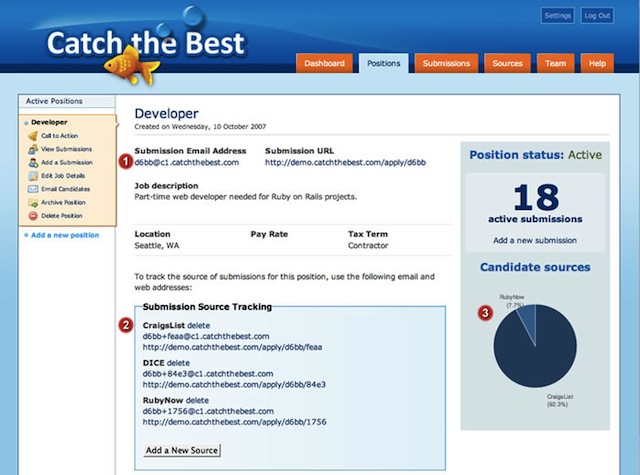
- Each position has its own unique submission email address and web address that you can use when posting your job ad. The job description, location, etc., are displayed to job applicants when they apply via the web address.
- It’s easy to find out exactly which job boards are sending you the best candidates. Quickly create unique email addresses and web addresses with tracking tokens to accurately track which source sent you a particular candidate.
- As applications come in, you can see at a glance which job ads are sending you the most traffic.
Dashboard

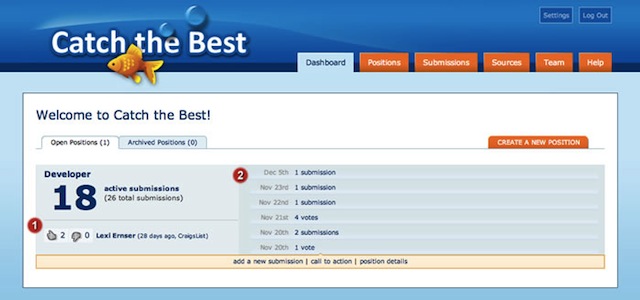
- The most highly-ranked candidate for each position shows up on your dashboard.
- Get a quick overview of the recent activity for your jobs.
Your Own Job Site

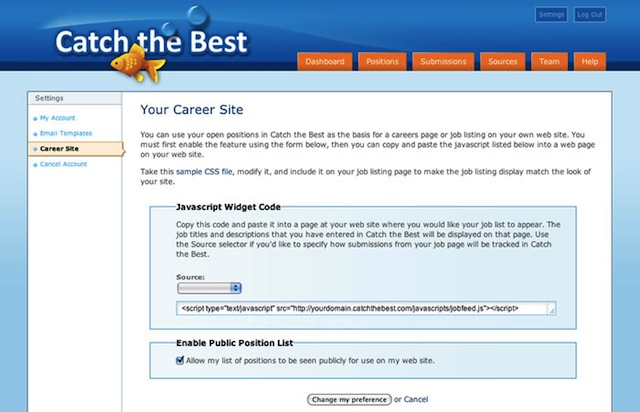
Use Catch the Best to power the job listings page at your own web site. Simply include one line of javascript in a web page at your site, and your open positions listed in Catch the Best will appear on your web page. The job list is easily styled to match the look of your site. Now you can have a careers page at your site with no programming necessary! Alternatively, host your jobs page at Catch the Best and upload a layout to match the design of your site.
Managing all your incoming job applicants, quickly finding the best candidates, and getting feedback from your team couldn’t be easier! Try Catch the Best for free right now!